Immersive Scenarios in E‑Learning: 7 Unexpected Benefits
Most training managers, instructional designers, and HR managers today share the same observation: linear e‑learning modules, even well designed, quickly reach their limits when it comes to changing behaviors in the field. Learners “take” the modules, “pass” the quizzes, but the right reflexes don’t always show up in real‑life situations. This is where immersive e‑learning scenarios really make sense to bring training closer to the field.
You may be wondering:
- How to ensure that employees actually apply what they learn
- How to train sensitive skills (management, safety, ethics, customer relations) without taking business risks
- How to obtain more granular data than “Score: 85%” or “Module completed”
This is precisely where immersive scenarios – dialog simulations, serious games, interactive storylines – change the game. And this is even more true with the rise of no‑code authoring tools such as VTS Editor, which make this type of solution accessible to training teams, without development or advanced graphic skills.
In this article, we’ll detail 7 often underestimated benefits of immersive scenarios in e‑learning, viewed through the lens of your management, ROI, and skills transformation challenges. And we’ll see, in concrete terms, how you can take action with a first pilot scenario designed in VTS Editor.
Why immersive scenarios appeal to training departments
If you’re a training or HR manager, you’ve probably already experienced this situation: a training path that looks very comprehensive on paper, detailed materials, successful quizzes… and yet, in the field, the same mistakes, the same missteps, the same resistance keep coming back.
The reason is simple: most traditional programs remain at a declarative level. We explain what should be done, sometimes very well, but we don’t put the learner in a decision‑making posture with real (even simulated) consequences to their choices.
Immersive e‑learning scenarios bring a model shift. Instead of remaining a spectator, the learner becomes an actor in a situation: they play a manager who has to address a performance issue with an employee, a salesperson facing a key client, a safety operator spotting a risky behavior. We no longer ask “What does the procedure say?” but “What do you do right now, here, with this person?”
This shift is essential to address the current issues faced by training and HR departments: development of soft skills, compliance with regulations, quality of customer relations, managerial posture, safety culture. These are all topics where the key is not knowing the rule, but being able to apply it in situations that are often ambiguous and emotionally charged.
No‑code authoring tools: making immersive scenarios accessible
For a long time, as soon as we talked about serious games or behavioral simulations, the immediate questions were: “How much will it cost?”, “How many months of development?”, “Who will maintain the module if the rules change?”
For many HR or training managers, these projects therefore remained limited to a few showcase operations, impossible to scale. What changed is the arrival of no‑code authoring tools such as VTS Editor. You no longer need a Unity team or a video game studio to produce a credible immersive module.
Building immersive scenarios with simple drag‑and‑drop
Concretely, your instructional designers can build complete scenarios themselves by assembling visual blocks:
- Information blocks such as Talk, Message, Video, or Slideshow to set the context
- Interaction blocks such as Choice of Sentences, Quiz, Clickable Areas, Decor Interaction to engage the learner
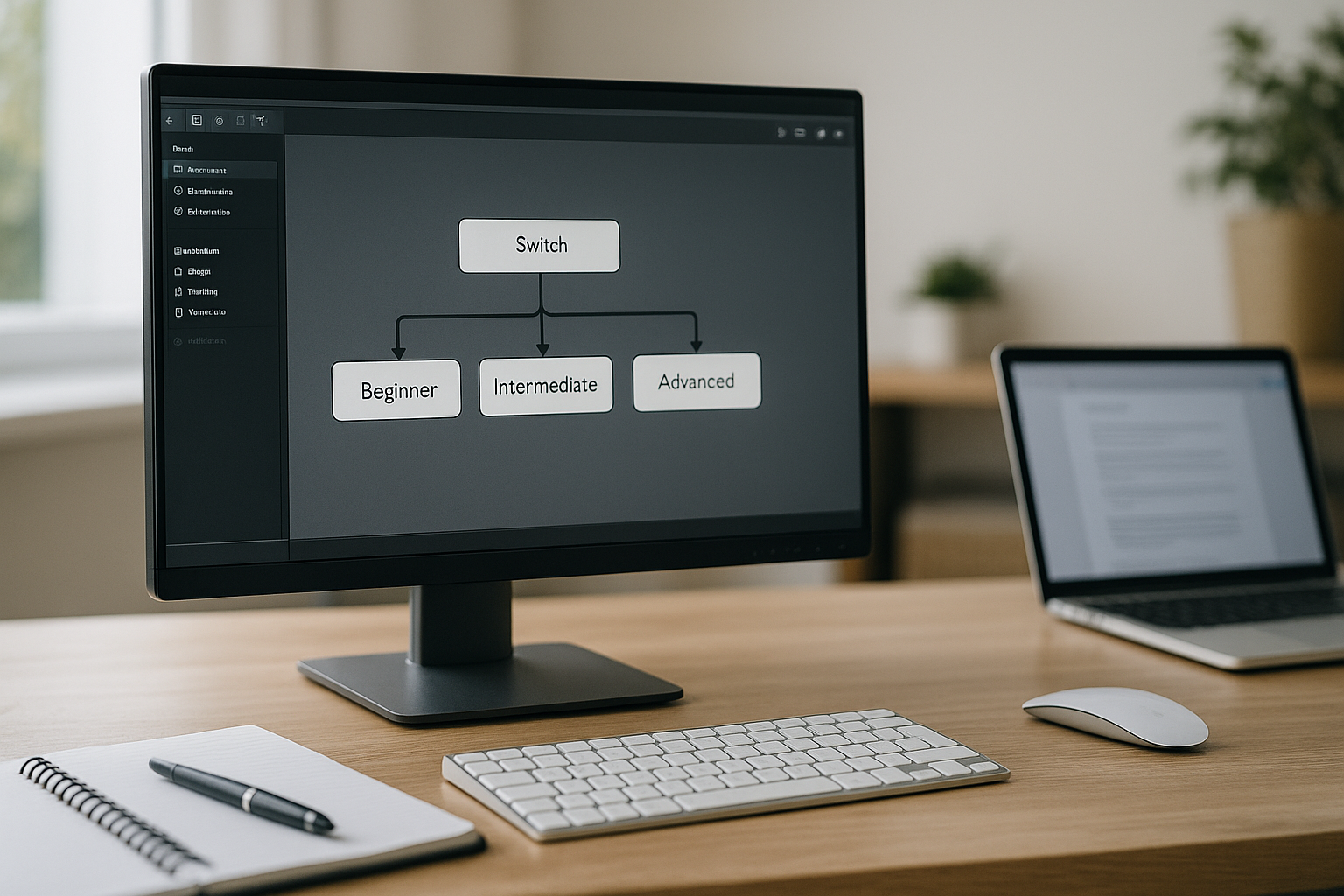
- Technical blocks such as Score, Check Score, Flag, Random, Sequence, Switch to manage instructional logic and branches
All without writing any code, with instant preview in VTS Player and SCORM export for your LMS. For a training department, this radically changes feasibility: what used to be an “exceptional” project becomes a format you can integrate into your recurring training offer.
To explore the possibilities offered by these immersive scenarios in more depth, you can consult our page dedicated to interactive role plays or discover other gamified formats on the page gamified e‑learning modules.
Objective: answer your real decision‑making questions
When you defend an immersive e‑learning scenario project, the questions you hear in the executive committee are not “Is it more fun?” but rather:
- How will this format better secure our practices, our risks, our compliance
- How are we going to measure the impact on behaviors, beyond initial satisfaction
- How much time and budget does it require, and when can we expect a return on investment
To help you answer these questions, we’ll explore 7 unexpected benefits, organized around three axes:
- Instructional effectiveness for the learner
- Steering and personalization for HR and L&D teams
- Cultural impact and employer brand for the company
Stronger memory retention through emotion
Why emotion strengthens memorization
From a cognitive science perspective, we know that long‑term memorization is strongly linked to emotion. Research by scholars such as Antonio Damasio or Larry Cahill shows that a message associated with a feeling – even a mild one, such as surprise or controlled discomfort – is much more likely to be remembered than neutral information (Cahill & McGaugh, Nature Reviews Neuroscience). For a training manager, this means that how the content is experienced matters as much as its accuracy.
Staging emotion with VTS Editor
Immersive e‑learning scenarios allow you to tap into this lever in a controlled way. In VTS Editor, you can orchestrate real scenes with:
- Credible dialog thanks to the Talk block
- Appropriate facial expressions via the Emotion block (joy, sadness, fear, anger, indecision)
- Gestures consistent with the situation via the Character Animation block
- A crafted soundscape with the Sound block or ambient media
Imagine a performance‑management scenario: the employee facing the learner looks down, folds their arms, and gradually shuts down because the feedback is poorly phrased. The learner sees and feels the effect of their words. On another attempt, the character reacts in a more open, relieved way when the feedback is worded differently. The difference is not only about the theory of the “feedback sandwich” but about the emotional experience lived in the simulation.
For you, decision‑makers, this translates into a higher probability that key messages are encoded for the long term. The principles experienced in scenarios are recalled more easily in real situations because the learner has already “lived” them in a credible environment.
If you’d like to go further on the link between immersion and memorization, our white paper The Benefits of Digital Learning Simulation provides many examples and scientific references.
Easier skills transfer to the job thanks to realism
Reducing the gap between training and the field
A common objection from managers is: “Training is fine, but in the field, it’s nothing like the slides.” They’re not wrong. The context, constraints, and reactions of stakeholders profoundly change how a rule or process is applied.
Immersive scenarios allow you to bring the training experience much closer to operational reality. With VTS Editor, you choose sceneries that resemble work environments (call center floor, store, workshop, open space, warehouse), you select characters who embody your typical customer or employee profiles, you write situations directly inspired by real cases identified in workshops with business teams.
Examples of immersive e‑learning scenarios
For instance, you can recreate:
- A meeting to announce a reorganization with an anxious employee
- A sales situation with a customer putting pressure on deadlines and discounts
- A safety briefing where an operator downplays a risk “out of habit”
You then use blocks such as Decor Interaction or Clickable Areas to make meaningful objects interactive (a safety sign, a CRM screen, a customer email) and the Media in Decor block to display actual internal documents (procedures, excerpts from the code of conduct, dashboards).
For an HR or training manager, the benefit is clear: when an employee finds themselves in a similar situation in the field, they will already have “played the scene” in a simulation. You create a positive déjà‑vu effect that facilitates the adoption of the right reflexes, whereas a simple theoretical module would have left a gap between “knowing” and “doing.”
Companies like Novartis or Basic‑Fit have already capitalized on this realism in their learning journeys. You can discover their results in our case studies.
A safe right to make mistakes to develop skills
Practicing high‑stakes situations without risk
On high‑stakes topics (safety, compliance, key accounts, sensitive interviews), mistakes in real situations are costly. This reality often pushes employees to adopt overly cautious attitudes, or even to avoid certain situations, rather than trying out new, more effective approaches.
In an immersive e‑learning scenario, you can create a space where mistakes are not only possible but useful. The learner can choose a wrong answer, immediately observe the simulated consequences, receive precise feedback… then try again. No customer is lost, no accident actually occurs, no social climate is damaged. But learning is very real.
Implementing a scaffolded instructional approach with VTS Editor
In VTS Editor, this translates into combining blocks such as Choice of Sentences or Quiz with Score, Check Score, and Counter blocks. You can, for example, decide that after three mistakes on the same axis, the learner is automatically redirected to an explanatory resource or a mini‑remediation module before returning to the scenario. You thus create a scaffolded learning approach: try, make mistakes, understand, practice again.
For a training manager, this safe right to make mistakes is a strong argument with business units: you can promise training on “risky” situations without jeopardizing operational indicators. And you show your employees that the company accepts mistakes… as long as people learn from them and progress.
Rich behavioral data to manage your training strategy
Going beyond simple completion rates
This is often a key point to convince senior management: what can we actually measure with an immersive module, and how is it richer than a classic module?
With VTS Editor, each interaction becomes an opportunity to collect granular data. You don’t just know that the learner completed the module with 82% correct answers. You know, for example:
- Which wording they spontaneously chose in a Choice of Sentences block
- How long they took to decide in a True‑False or Quiz block
- Which pairs they mixed up in a Matching block
- Whether they tend to rush and click “Continue” without reading Messages
- Whether they adopt the right behaviors or not in scenario branches conditioned by Flags
Leveraging data with VTS Perform and your LMS
All this data, once sent back to your LMS via SCORM or to VTS Perform, can be analyzed by population, by job role, by country. You can thus identify, for instance, that teams in one region master procedures well but struggle with relational posture, or that some points in your code of conduct are systematically misinterpreted.
For an L&D manager, this is an opportunity to move from a logic of “We have trained 300 people” to “We know exactly which behaviors our employees need further support with.” You have quantified arguments to adjust your learning paths, target your coaching actions, and prioritize content updates.
Industrialized personalization by role, profile, or country
Mutualizing while staying locally credible
In a multi‑business, international group, there is constant tension between two requirements: mutualizing programs as much as possible to control costs, and tailoring content enough for it to remain locally credible.
Immersive e‑learning scenarios, combined with the variables and conditional logic features in VTS Editor, offer a powerful compromise. You can design a core scenario, then activate variants based on language, country, job role, or level of expertise, without duplicating the entire module.
Playing with variables without duplicating modules
For example, the same compliance serious game can share:
- The same scene structure
- The same characters and sceneries
- The same score and badge logic
But display different cases, texts, and media thanks to:
- Language Condition to adapt examples and references depending on the regulatory context
- Variable Media to change the display of products, documents, and screens depending on the country or job role
- Flags and Check Flags to activate certain branches only for managers or for populations exposed to specific risks
You thus obtain a solution that is both globally coherent and locally relevant. For an HR department, this means better acceptance by countries and business units, without exploding production and maintenance costs.
To discover concrete examples of this type of multi‑country deployment, you can refer to our white paper Immersive Learning – The Missing Link in Training.
Controlled reduction of classroom training costs
Replacing part of in‑room role‑plays
You know it: in‑room role‑play workshops are highly effective from a learning standpoint, but they are also very resource‑intensive. You have to mobilize a trainer, sometimes an actor, bring employees together, block time slots, manage travel. And the quality of the experience depends heavily on the facilitator on the day.
By transferring part of this role‑play work into an immersive module, you change the economic model. The marginal cost of training 50, 500, or 5,000 employees becomes much lower. The trainer’s role shifts to debriefing, coaching, and co‑analyzing the situations experienced in the simulation, either in‑person or in virtual classrooms.
A more effective blended pathway
In practice, a pathway can, for example, be organized as follows:
- Employees go through a simulation scenario independently, designed in VTS Editor, with several attempts allowed
- Their results and choices are fed back into the LMS or VTS Perform
- During a shorter workshop, the trainer uses these traces to run a targeted debriefing, focusing on the truly problematic points
For a training department, this makes it possible to argue for a reduction in classroom time without a purely budget‑driven argument: you can show that the overall solution gains in quality, consistency, and fairness between groups, while easing logistical constraints.
Studies on blended learning also show that this type of combination of in‑person and distance learning often improves overall performance compared to classroom training alone (Zainuddin & al., Simulation & Gaming).
Embedding a culture of feedback and continuous learning
Using immersive learning to change attitudes
Beyond technical skills, many companies seek to foster a mindset: employees who are able to question themselves, listen to feedback, and strive to improve continuously rather than “consuming” a mandatory module once and for all.
Immersive scenarios are a particularly fertile ground for this, provided they are designed with this goal in mind. In VTS Editor, you can multiply opportunities for feedback, gamification, and replayability:
- Use Message, Talk, Text Animation blocks to clearly explain why an answer was relevant or not
- Set up a logic of Scores by competency and Badges to recognize progress and successes, even partial ones
- Offer the option to replay certain chapters via a Menu or Teleport block, explicitly inviting the learner to try other strategies
You can even decide to officially communicate that a scenario is designed to be replayed, and that a “good” score is not expected on the first attempt. This type of message, carried by HR or the Training Department, helps to instill the idea that learning is a process, not a one‑off test.
For the employer brand, this is a strong signal: employees perceive that the company invests in modern, demanding, yet caring learning experiences, where the right to try and to receive feedback is genuine.
If these topics interest you, our white paper From Feedback to Conflict Management offers a detailed approach to these issues.
How to launch your first immersive pilot in 4 steps
1. Choose a high‑stakes topic
Faced with these benefits, many training managers are left with a pragmatic question: “Where do we start without embarking on an unmanageable project?”
A realistic approach is to launch a targeted pilot, with a clear objective and indicators defined from the outset.
First, choose a high‑stakes topic where role‑play is clearly a plus: for example, a managerial interview, managing a complex customer situation, decision‑making in safety matters. Ideally, select a use case that is critical enough to interest sponsors, yet simple enough to remain manageable.
2. Build a small project team
Second, bring together a small project group combining an instructional designer proficient in VTS Editor and one or two subject‑matter experts. Together, they identify three or four representative situations, expected behaviors, and common mistakes. They sketch the scenario structure on paper: context, choices offered to the learner, consequences, feedback.
3. Build the module in VTS Editor
Third, build the module in VTS Editor by capitalizing on the core blocks: create scenes, write dialogues with Talk and Message, insert choices via Choice of Sentences or Quiz, add an initial scoring logic, some emotions on the characters, and possibly one or two simple gamification elements such as an achievement badge or a progress bar.
If your teams want to build skills quickly on the tool, our Training & support programs give them the basics to design their own immersive e‑learning scenarios.
4. Deploy, measure, adjust
Fourth, deploy this pilot to a limited population, measure the usual indicators (completion, time spent, score) but also more granular data (paths chosen, recurring errors), organize feedback sessions with learners and managers, and adjust. Once this pilot has been stabilized and validated, you have a concrete case, data, and quotes to convince your management to invest in scaling up.
In summary, immersive e‑learning scenarios, supported by an authoring tool such as VTS Editor, offer far more than a simple “wow effect.” They directly answer the questions asked by training managers, instructional designers, and HR managers: how to anchor expected behaviors in the long term, how to manage through data, how to optimize training resources, how to turn learning into a lever for culture and attractiveness. All this without systematically relying on an external provider, by regaining control over instructional design.
The next step for you may be to decide what your first immersive pilot scenario will be… and to see how it can, in its own way, transform the way your employees experience digital learning in your organization. To help you take this step, you can now try Virtual Training Suite free for 30 days or request a demonstration of VTS Editor with one of our experts.