We have all been there. On a Monday morning, an email lands in your inbox with an 80-slide PowerPoint attached. It is the new technical guide or the latest regulatory update from the business department. The message is always the same: “We need to train the entire network by the end of the month.” Transforming PowerPoint into e-learning effectively then becomes an absolute priority for HR and L&D teams.
Pressed for time and facing tight deadlines, we often do our best with what we have. We import the slides into a standard authoring tool, add a “Next” button in the bottom right corner, and wrap it all up with a 10-question multiple-choice quiz that is slightly too obvious. The module is sent, the boxes are checked.
But what actually happens in the field? Employees click through as fast as possible to get the chore over with. Completion rates plummet, and during client meetings or on the shop floor, behaviors do not change at all. The budget is spent, design time is wasted, and the skills are still missing. This is the well-known “Death by PowerPoint” phenomenon.
The truth is, lining up screens of text is not enough to train. For teams to progress, you must move from passive reading to concrete practice.
Why Simply Transferring Slides Blocks Skill Development
The Pitfall of Solo Reading Behind a Screen
A slideshow projected and explained by an in-person trainer can work very well. Why? Because there is human interaction, anecdotes, and discussion. But as soon as you isolate that same content behind a computer screen, it becomes an unreadable catalog. When trying to transform PowerPoint into e-learning, simply copying and pasting slides quickly hits a wall. Overloading learners’ working memory with bullet points yields no results.
According to Hermann Ebbinghaus’s work on the forgetting curve—revalidated by researchers Jaap Murre and Joeri Dros in 2015—the retention rate of information that is purely read or heard passively drops below 10% in just a few weeks. Without active user participation, attention spans drop after three minutes of passive clicking.
For the company, the hidden cost is massive:
- Hours of work spent for zero impact in the field.
- The inability to prove that employees actually master their tasks.
- Team fatigue when faced with modules disconnected from their daily realities.
Ideal Theory vs. Daily Challenges
PowerPoint presentations often describe a perfect world: simple procedures, calm customers, and impeccable timing. In reality, your teams must handle unhappy clients, software bugs, and high-pressure decisions.
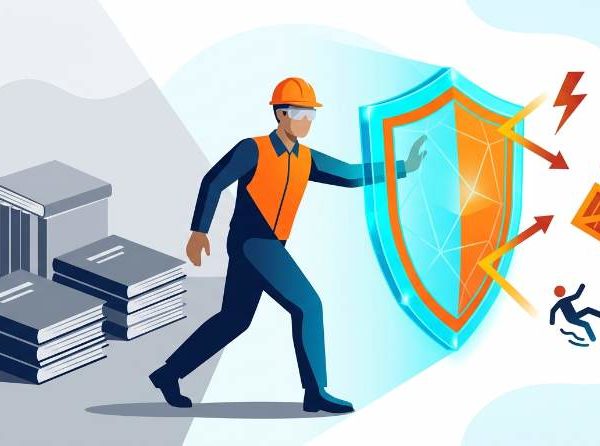
Take a classic example: cybersecurity training. A traditional module lists the key indicators of a fraudulent email (typos, suspicious sender, false urgency). The learner reads the list and scores 100% on the final quiz. The next day, during a busy sales rush, they receive a highly realistic phishing email. They click.
Why? Because we trained them to memorize theoretical definitions, not to spot a trap in the middle of a stressful workday.
To get concrete results, you must put your teams in situations where they make choices, commit errors in a safe environment, and immediately experience the consequences.
The Method: How to Transform PowerPoint into Active E-Learning
Translating Your Bullet Points into Real-Life Scenarios
The raw material for these courses is already in your drawers, right inside your current presentations. You just need to script it. A list of tips on handling objections or conducting managerial reviews must become a dialogue or an interactive case study.
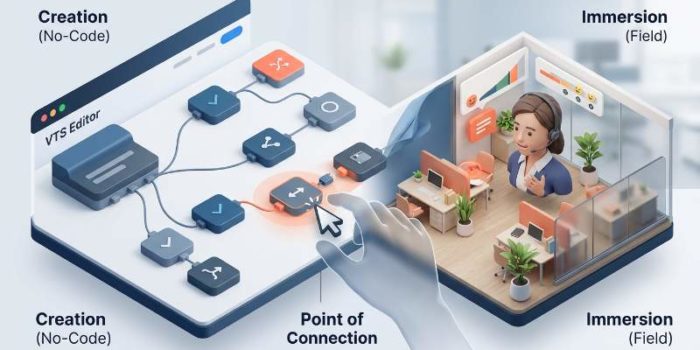
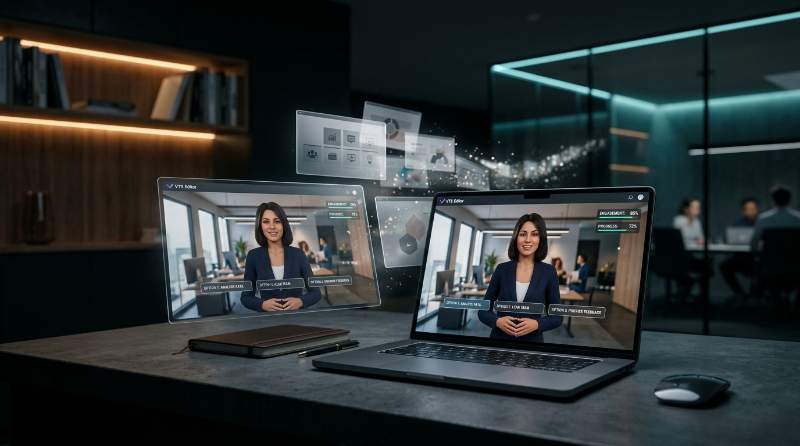
With the VTS Editor professional authoring software, learners do not passively read conflict resolution guidelines. Instead, they face a virtual, unhappy customer demanding to speak with the manager. The theoretical tips from your old slide become the actual response options available to them.
Classic Initial Slide:
« To defuse a conflict, ask an open-ended question and validate your interlocutor’s emotion. »
↓ Interactive translation in VTS Editor
Decision Scenario:
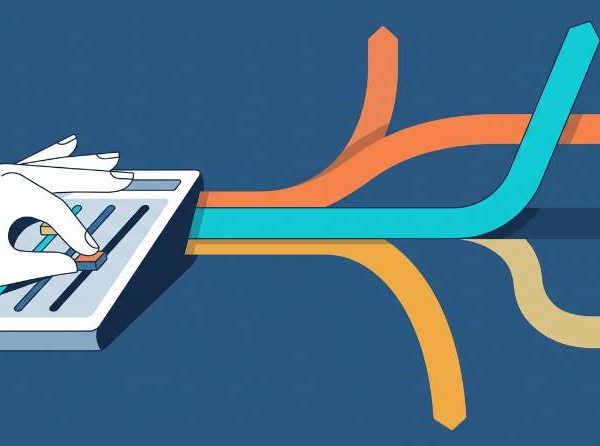
An unhappy customer walks into the branch. The learner must choose between three responses. Each choice alters the virtual character’s attitude (calming down or getting angry) and directs the rest of the conversation.
Immediate Feedback Over Theoretical Corrections
To permanently embed a reflex, interactive video or virtual simulations make a real difference. Employees observe a modeled business situation, the action pauses, and it is up to them to decide what to do next.
In this format, we say goodbye to artificial pop-ups displaying “Correct answer” or “Incorrect answer.” Feedback occurs directly within the action: if the learner makes a poor decision, the character on screen gets angry or the project falls behind schedule. The impact of the decision is instantly visible, fostering natural, self-guided awareness.
SF Studio: Your Custom Interactive Modules in 15 Days
The Alliance of Artificial Intelligence and Instructional Design
For a long time, designing this type of scenario-based module required months of development and budgets out of reach for many training departments.
We created SF Studio to solve this exact equation. Our approach relies on a clear principle: use technology to accelerate production without sacrificing instructional quality. To transform PowerPoint into e-learning dynamically, we leverage artificial intelligence to structure initial scenario drafts and generate visual assets, while our human experts refine the branching logic, tone, and professional relevance of the dialogue.
Using your existing materials (PowerPoint slides, interview guides, or technical sheets), we build simulations adapted to your field realities.
A Simple Creation Process to Secure Your Launches
The SF Studio production method follows five clear steps to respect your deadlines and budget constraints:
- Scoping: We gather your current materials (PowerPoint, PDF) and define together the key field skills to assess.
- Storyboarding & Scripting: Our designers translate your theoretical content into practical cases and decision trees.
- Structural Validation: You test the text-based skeleton of the scenario before graphic integration.
- Visual Production: We integrate the environments, animated characters, and interactive mechanisms.
- Delivery: You receive a standardized module (SCORM or xAPI), ready for integration into your usual platform.
To take immersion even further, you can opt for custom characters and environments for VTS Editor. We can recreate the exact layout of your stores, branches, or workshops, allowing your teams to practice in their actual daily working environment.
The Impact of Custom Content, Budget Under Control
The SF Studio approach means you do not have to buy off-the-shelf catalogs that are too generic for your teams. You get a training path perfectly tailored to your internal processes, with production costs divided by 7 compared to traditional development agencies.
Each module integrates seamlessly with your existing learning platform or via our deployment and management tool, the VTS Perform platform. In two weeks, your static slideshows become operational training tools.
What ROI Can HR and L&D Teams Expect?
Reducing Training Rollout Times
When launching a new offer or reacting to a regulatory change, speed is crucial. Waiting months to design custom training exposes the company to operational mistakes in the field.
SF Studio’s responsiveness aligns your training speed with your business velocity. Moving from a raw document to an operational decision simulator in 15 days allows you to equip your teams exactly when they need it.
Measuring Team Proficiency Concretely
Interactive training paths designed with our VTS Editor software allow you to collect valuable data on your teams’ skills:
- Enhanced Engagement: Learners must continuously make choices, which keeps their attention sharp.
- Valued Right to Error: Making mistakes within a simulation helps users understand their gaps before facing a real customer.
- Precise Management: By combining our VTS Perform platform with the xAPI standard, you do not just track time spent on a module; you analyze your teams’ recurring choices to identify areas requiring additional support.
Feedback from the Field
Several training departments have already chosen to transform their legacy text-based materials using our method.
Julien D., Training Manager in the banking sector:
“Previously, creating our custom modules took nearly four months and heavily strained our budget. With SF Studio, we get ready-to-use simulations in less than three weeks for a total cost divided by five. On the floor, our managers notice improved responsiveness from sales teams starting the very next day.”
Sophie L., L&D Director in Retail:
“Our sales teams used to ignore our standard e-learning modules. Serious Factory’s designers reworked our PowerPoint product sheets to turn them into interactive sales scenarios. Engagement rates soared, and our store associates now feel much more comfortable presenting arguments to customers.”
Frequently Asked Questions
How does the actual conversion of our PowerPoints work?
We do not simply slap graphics onto your slides. Our instructional designers analyze your course materials to extract key skills. We rewrite this content into professional dilemmas and dialogue trees, which our technical teams then integrate using our authoring software.
What is the average turnaround time for a finalized module?
Thanks to our optimized production processes, we deliver a custom interactive module within 15 days of validating the initial storyboard.
Are the created modules compatible with our current LMS?
Yes. All modules produced by SF Studio or designed yourself with VTS Editor can be exported in SCORM (1.2 and 2004) and xAPI formats. This makes them compatible with the vast majority of training platforms on the market, as well as with our tracking and management tool, VTS Perform.
What budget should we expect for this type of project?
Our hybrid production methodology allows us to offer pricing comparable to standard off-the-shelf catalog content, but for a solution entirely tailored to your actual processes and products.
Valuing Your Existing Intellectual Capital
Continuing to distribute static slideshows due to a lack of time or budget is often a losing strategy. Boring training breeds frustration among your teams and fails to guarantee they can handle their daily duties.
By choosing decision-based scenarios with SF Studio, you maximize the value of your existing assets without blowing your production budget. You provide your teams with a genuine, practical space to practice, directly benefiting their daily work.
Let’s discuss your current materials: share one of your PowerPoint files so we can assess its scenario potential together.