Create an Adaptive Learning Path Without Duplicating Scenes?
To build an adaptive learning path without duplicating scenes, the most effective approach relies on variables and conditional logic rather than traditional branching trees. This method equips the module with memory, adjusting the learning experience inside a single sequence of scenes while eliminating content duplication and maintenance headaches. A professional authoring tool like VTS Editor allows instructional designers to implement this logic visually, without writing a single line of code.
Adapting a training module in real time to learner responses is a standard goal for instructional designers. On paper, the promise holds value: deliver a tailored experience that challenges employees exactly where needed, without wasting time on topics they already know. Yet this strategic vision often collides with an operational hurdle: exponential bloat. Many teams picture a sprawling branching scenario where every single choice multiplies the number of scenes to produce, dialogues to script, and media assets to integrate. As a result, projects stall before they even start, derailed by an unmanageable workload estimate.
This perception of runaway complexity blocks progress. What starts as a solid training initiative quickly turns into a production headache—expensive to build and hard to maintain. A simple update to a business process or sales pitch would require editing dozens of duplicated scenes, creating serious risks of inconsistency. Duplicating scenes is a dead end. An effective adaptive learning path relies on smart logic that introduces variation inside a single sequence. The goal is not to map out ten separate branches, but to build one clean sequence that reacts accurately to the learner’s cumulative decisions. That is what structured design in VTS Editor achieves: genuine variation and relevant feedback without sacrificing authoring efficiency.
Adaptive Learning Paths: Why Classic Branching Scenarios Fall Short
The traditional branching tree model quickly hits an operational barrier: production overhead. For the designer, the initial vision of a tailored path turns into an unreadable flowchart. One question offering two viable paths doubles the downstream scenario. Add a second decision point, and four separate branches require scripting, testing, and integration. Within just a few interactions, the architecture becomes cluttered and exhausting to track. Designers end up spending more hours verifying branch consistency than refining instructional feedback.
Maintenance brings the biggest headaches. When a regulation changes, or when brand guidelines and product specs evolve, the designer must locate and update that detail across dozens of near-identical scenes. Inconsistencies become inevitable, degrading course reliability over time. Training teams then hesitate to update their materials, leaving programs obsolete.
Superficial Personalization Without Memory
Beyond the production friction, classic branching offers surprisingly shallow personalization. The learner is simply shunted onto a predetermined track that ignores their previous decisions. The module carries no memory of prior actions. It cannot detect a recurring hesitation pattern, persistent doubt during objection handling, or a tendency to favor speed over protocol. If a team member gives two incorrect answers followed by a lucky guess, the system registers only the last click and offers congratulations, blind to the pattern of errors right before it. The scenario merely reacts in a binary way to the latest click instead of adapting to overall performance. Targeted practice requires nuanced feedback, targeted remedial steps, and difficulty adjustments tied to a real-time competency score. Duplicating scenes fails to deliver that instructional depth.
The Practical Method: Using Variables and Conditions for Dynamic Pathways
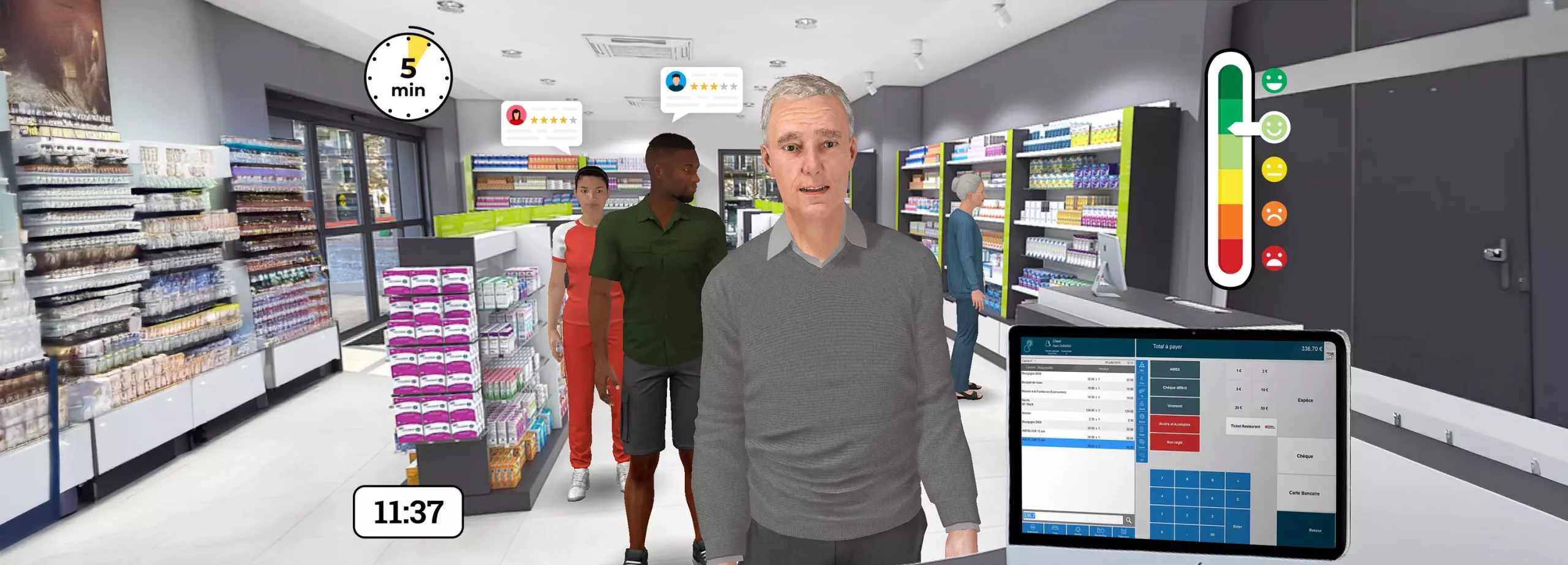
The proven alternative is giving the scenario an internal memory. Instead of drafting a maze of static branches, you design a training environment that reacts dynamically to cumulative learner choices. The core mechanism relies on variables—invisible counters that track points and behaviors based on decisions. At each key interaction, rather than routing the user to Scene A or Scene B, the system logs the choice against a specific skill metric (active listening, compliance adherence, diagnostic accuracy) and updates the score. This method tracks progression along multiple axes simultaneously, producing a clear competency profile grounded in observed behavior throughout the module.
Once this memory is in place, condition logic takes over. Concrètement, the designer sets straightforward rules: “If the Safety score is below 5 after Step 3, display a targeted reminder on work hazards.” This check occurs within the same scene, requiring no split in narrative branches. Multiple conditions can be combined: “If the Safety score is low AND the user failed the previous check, trigger an intervention from a mentor avatar.” Professional authoring tools like VTS Editor make this seamless: you can alter visual cues, display targeted feedback, or introduce an expert character based on a counter value—all without duplicating the background or scenario flow. Instructional engineering becomes sharper, leaner, and faster to produce.
Direct, Measurable Business Applications
This logic translates into measurable field results. In sales training, an “Active Listening” counter increments whenever a sales rep asks a discovery question instead of rushing into a pitch. The debriefing screen delivers tailored analysis rather than generic praise: “You systematically clarified customer requirements before presenting options—an excellent reflex.” In technical maintenance, a “Protocol Compliance” counter triggers an instructional video if an operator cuts corners across several steps. The module spots the underlying performance pattern and provides targeted coaching in real time.
How VTS Editor Simplifies Adaptive Path Design
Instructional designers should not have to write code to build intelligent logic. VTS Editor addresses this through visual logic blocks, turning variables and conditions into an intuitive drag-and-drop process. Designers create a variable such as “Customer Service Score” and define rules, such as: “If score reaches 5, show positive manager feedback.” In the interface, you drop in a Condition block, select the target variable from a dropdown, choose the threshold (“greater than”, “equal to”, “less than”), and link the resulting actions. Conditional logic becomes accessible to any instructional designer, keeping the focus where it belongs: accurate triggers and high-impact feedback.
This technical simplicity reshapes module structure. Instead of building ten distinct debrief scenes for ten score profiles, you build a single dynamic scene. Inside that single scene, text boxes, media clips, and character dialogues appear conditionally based on cumulative performance. Production and maintenance timelines drop significantly: updating a compliance rule or script text happens in one location, not across ten duplicates. That saved time can be redirected into deepening the learning design—for example, introducing tiered difficulty where high-scoring participants face more complex customer cases at the next milestone.
Time Savings That Support Instructional Quality
The operational payoff directly benefits training effectiveness. Research by Van der Kleij, Feskens, & Eggen (2015) on feedback in digital learning environments demonstrated that elaborated, conditional feedback significantly improves retention and skill application compared to simple correct/incorrect flags. Free from the burden of scene duplication, designers can quickly test and balance scenario difficulty. Adjusting thresholds for remediation or advanced challenges takes just a few clicks. Attention shifts away from managing bloated flowcharts to refining feedback accuracy and learning progression.
From Sprawling Trees to Intelligent Scenarios
Multiplying scenario branches to personalize training leads to technical and pedagogical friction. Real efficiency comes from building intelligent modules that interpret learner behavior and adapt accordingly. By working with variables and conditions, instructional designers do more than save authoring time: they move from drawing rigid flowcharts to engineering adaptive, responsive learning experiences. Effort goes straight into high-value design: precision feedback, balanced challenges, and remedial guidance delivered at the right moment.
For the learner, training gains credibility and engagement because the system tracks their complete decision trail, not just their latest selection. For the organization, skill development becomes measurable. Counters and variables act as objective indicators tracking on-the-job reflexes, providing reliable data on training outcomes. Tools like VTS Editor make this framework straightforward to deploy, turning complex learning strategies into robust, scalable training modules without needless content duplication.
Frequently Asked Questions
What is an adaptive learning path?
An adaptive learning path is an e-learning module that dynamically adjusts content, pacing, or difficulty based on learner input and cumulative performance. It provides tailored guidance targeted at individual skill gaps without forcing every employee through the exact same track.
What is the difference between branching scenarios and variable-based adaptive paths?
A standard branching scenario directs users down distinct narrative paths, requiring designers to duplicate scenes for each branch. A variable-based adaptive path keeps learners within a single stream of scenes, dynamically modifying dialogues, feedback, and challenges using underlying scores, completely removing the need to duplicate content.
Do you need coding skills to build adaptive paths in VTS Editor?
No. VTS Editor uses a visual, no-code block interface. You set up variables and conditions by dragging and dropping blocks and configuring parameters in intuitive menus, making advanced adaptive mechanics accessible to any instructional designer.
What business benefits do adaptive learning paths deliver?
Adaptive paths increase learner engagement through relevant, tailored content, accelerate skill acquisition by targeting specific weaknesses, and provide granular tracking data for clearer ROI. Because modules avoid content duplication, updates and maintenance take far less time, reducing long-term costs.